 Tick&
Tick&
Features
What Tick& covers
Seventeen modules, an API of 183 documented operations, and a scope owned rather than apologised for: Tick& handles the service desk — incidents, requests, problems, changes — and leaves asset management to others. A tool that does one thing well rather than two badly.
The ticket, end to end
The core of the job: what a technician opens fifty times a day.
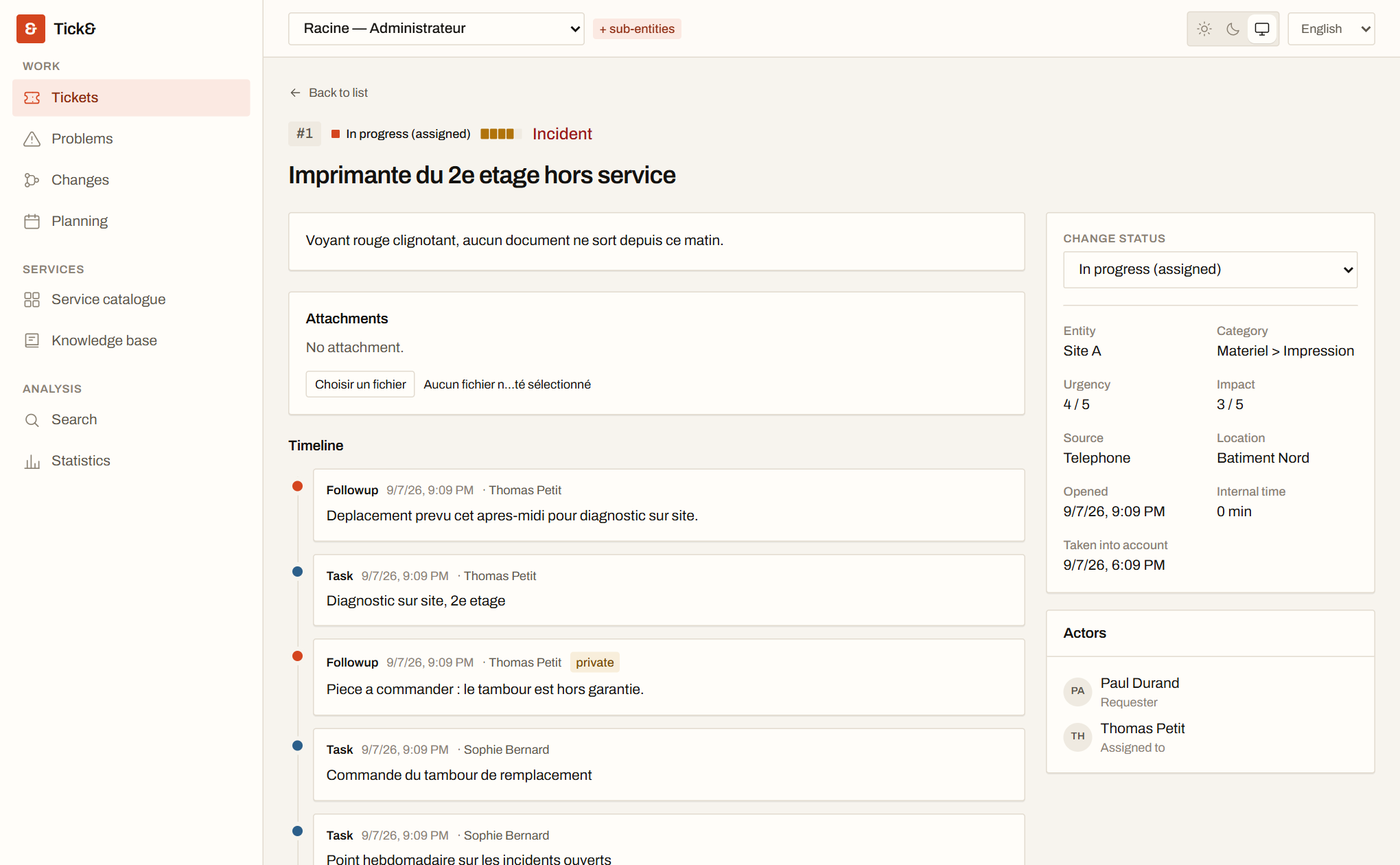
Incidents and requests
Two natures, one object. Status, urgency and impact compose the priority through a matrix you configure. A trash bin rather than a hard delete.
Unified timeline
Followups, tasks, solutions and approvals in a single thread, dated and attributed. Private followups never reach the requester.
Actors
Requesters, assignees, watchers — people or groups. Every change of actor leaves a trace in the history.
Category trees
A category hierarchy per entity, feeding automatic routing and the statistics.
Attachments
Stored outside the database, on disk or a dedicated volume, with the same visibility rules as the ticket carrying them.
Full-text search
Across ticket content and the knowledge base, with accent folding and fuzzy matching.
Problems, changes and service levels
Shared ITIL foundation
Problems and changes share the ticket's foundation: actors, timeline, tasks, approvals. An incident is promoted into a problem without retyping anything.
Links between objects
Duplicate of, linked to, blocks, derives from. Solving a problem offers to close the incidents that derive from it.
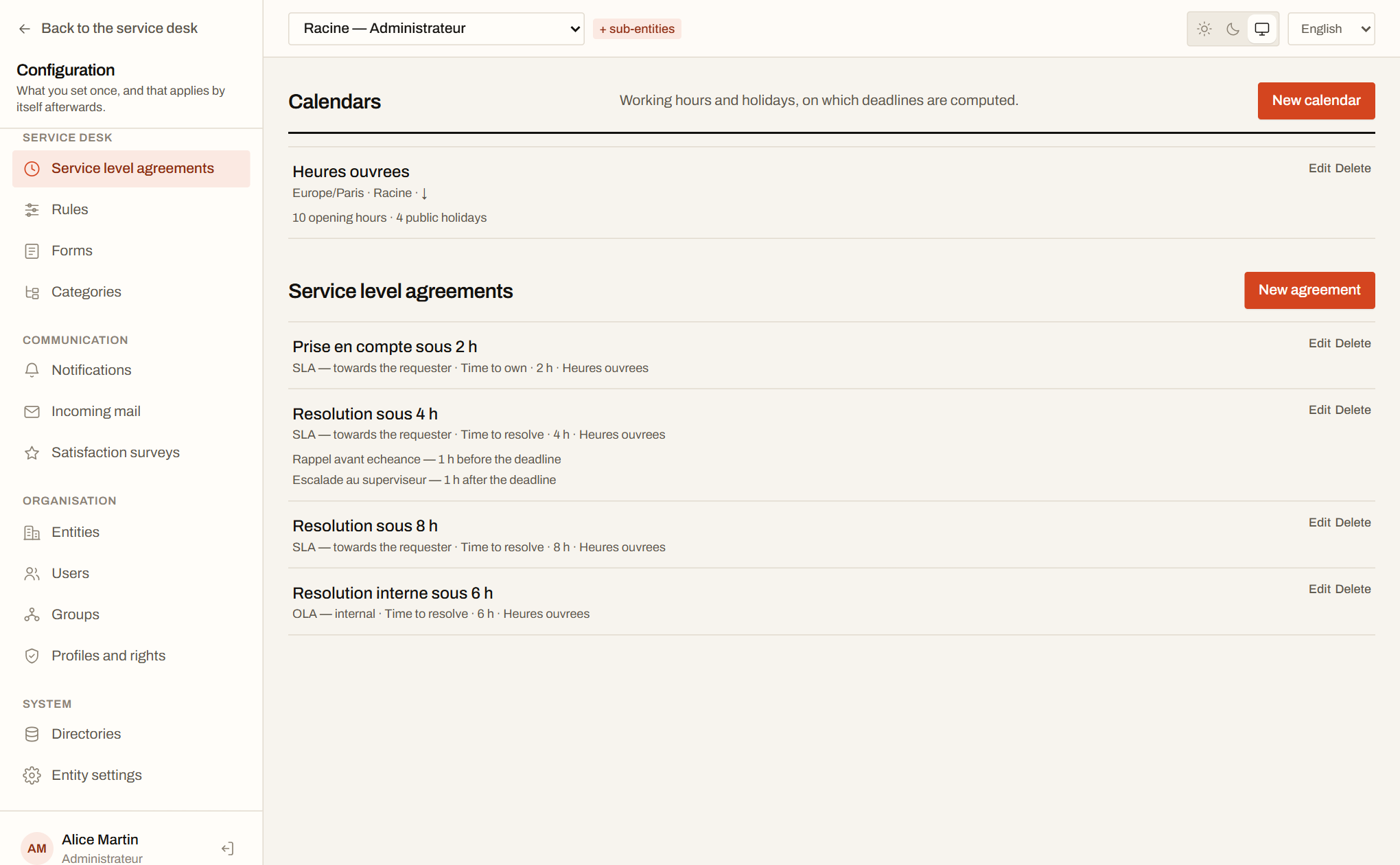
Working-hour calendars
Opening hours and public holidays per entity. A four-hour deadline set on a Friday at 5 pm lands on Monday, not Saturday.
SLAs and OLAs
Commitments towards the requester and internal ones, on time-to-own as on time-to-resolve, suspended while a ticket is pending.
Reminders and escalation
A reminder before the deadline, escalation to a supervisor after. The actions are queued jobs, executed even with nobody signed in.
Approvals
A change can require sign-off from a person or a group before it progresses, with a record of who approved and when.
Automation and communication
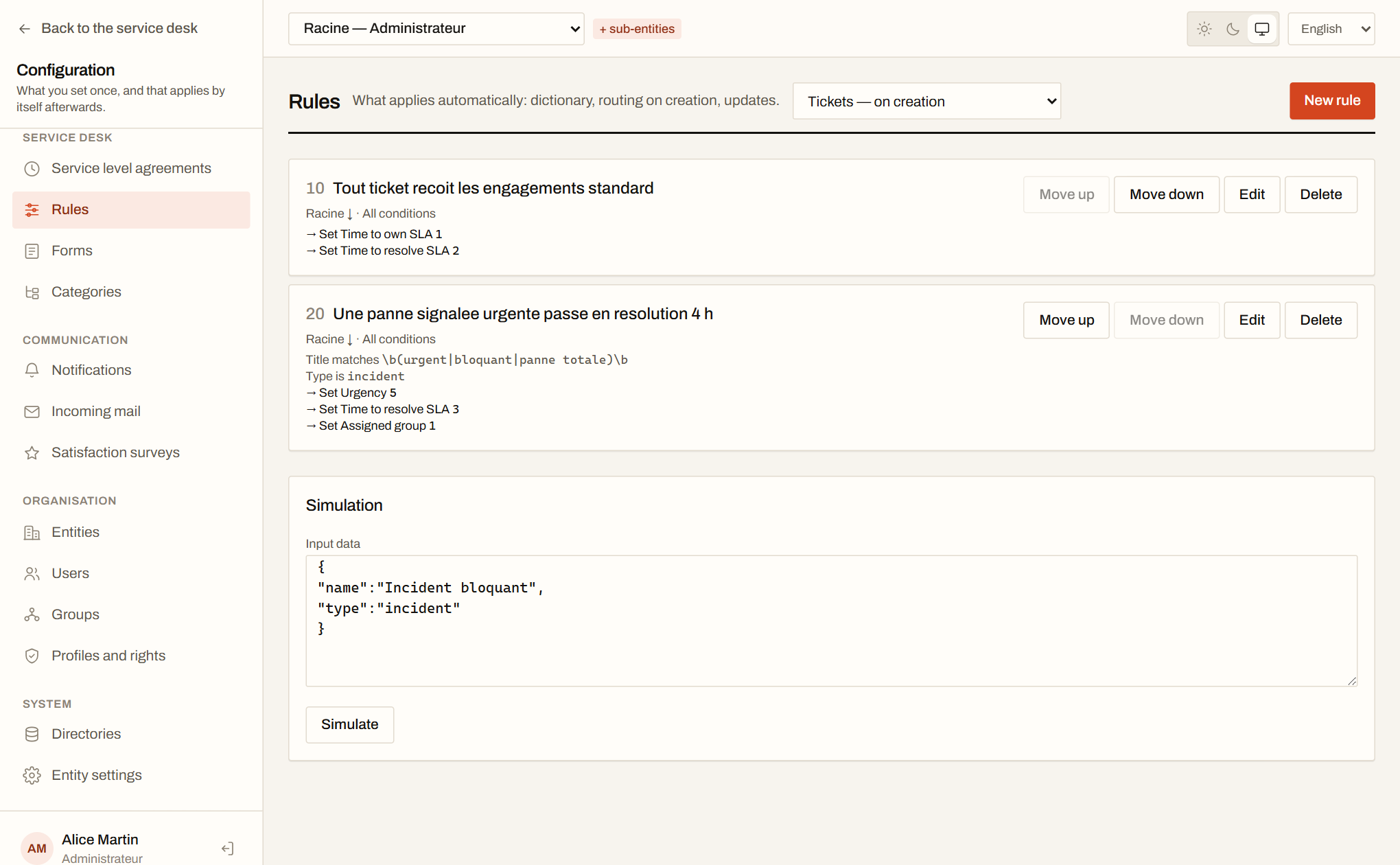
Rule engine
Dictionary, routing on creation, updates. Conditions on any field, including regular expressions, and ordered actions.
Simulator
A fictional ticket run through the engine shows which rules apply and what they produce — before a rule ever touches a real ticket.
Notifications
Templates per event and per language, with links composed from the public address you declare.
Inbound email
A collector polls a mailbox, creates the ticket, attaches replies to the right thread and keeps the attachments.
Satisfaction surveys
Triggered on closure at a sampling rate you set, answered without an account through a single-use link.
Recurring tickets
Periodic tickets — backups, reviews, maintenance — create themselves on their schedule.
Self-service, organisation and reporting
Catalogue and forms
Forms composed by drag and drop, with display conditions: the questions guide, and the ticket fills itself in.
Knowledge base
Internal or public articles, a FAQ reachable without an account, and attaching an article to a ticket as its solution.
Requester interface
A simplified interface for self-service profiles: submit, follow, reply, without seeing any of the technician tooling.
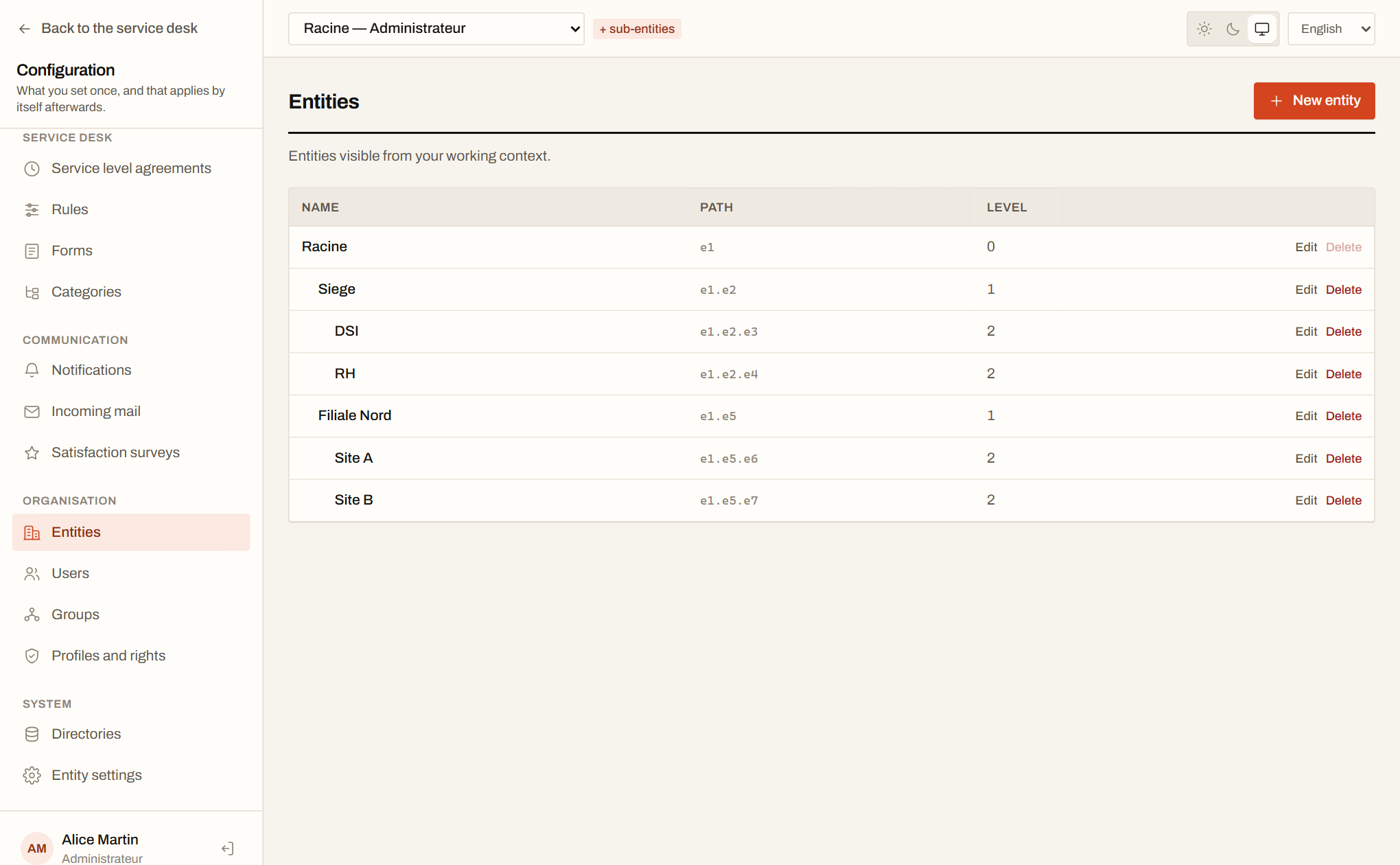
Hierarchical entities
Isolation rests on PostgreSQL Row-Level Security — the database filters by itself, not only the application.
Profiles and rights
A right is a triplet of object × action × scope, and a missing row means refusal. Rights follow the active profile, never the union of all of them.
LDAP directory
Authentication and import from LDAP or Active Directory, with automatic profile assignment based on groups.
Planning
Scheduled tasks and interventions, per technician or per group, in a calendar view.
Statistics and exports
Volumes, average times, target attainment and satisfaction, per entity and per period. CSV and PDF exports.
Plugins and API
In-process extensions with a versioned manifest, per-entity settings and a dedicated SQL schema, a first plugin that announces tickets in Mattermost, Slack or Teams, and an OpenAPI description derived from the controllers.
Sign in as sophie / tick. No sign-up, no data collected.